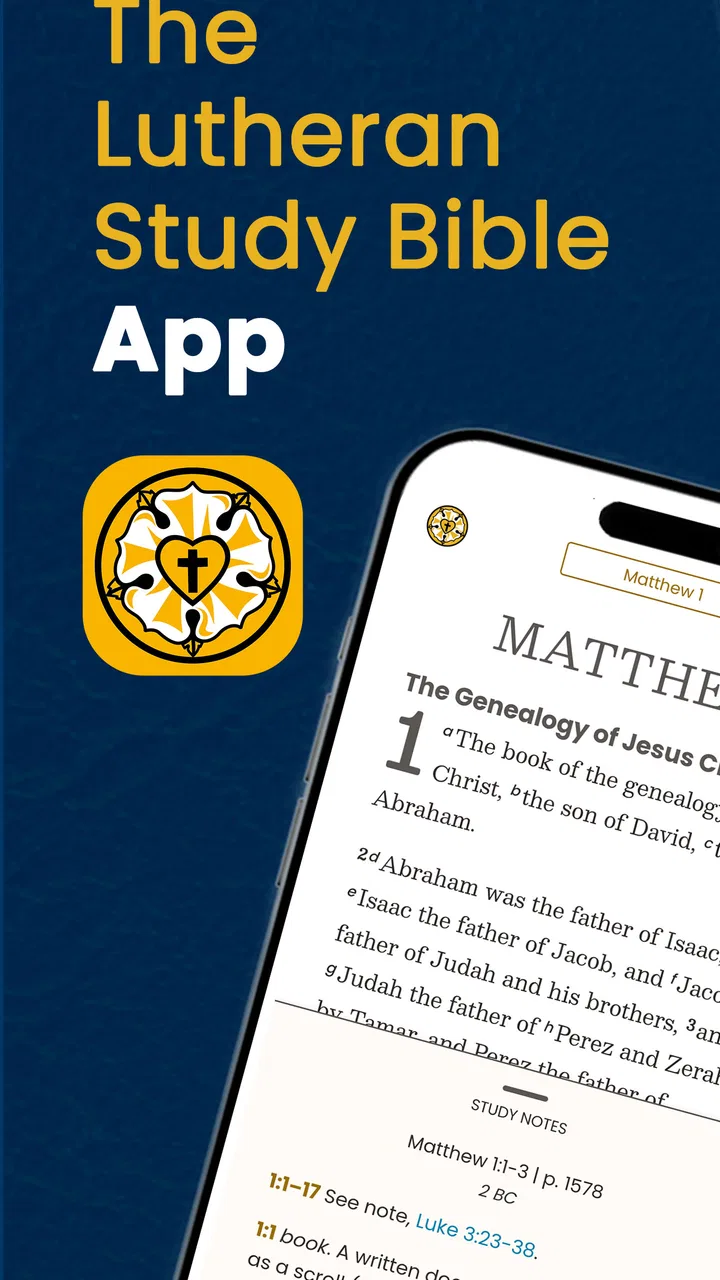
The Lutheran Study Bible
- 4.4
- Rating
- 10.00K
- Installs
- Free
- Price

 Analysis by App-foxy
I approached The Lutheran Study Bible as a daily reading tool rather than something to open only when a difficult passage appears. That distinction matters. This is a free Books & Reference app from Concordia Publishing House, built around the Bible and its in-depth study notes, with a Lutheran perspective that gives the reading experience a clear theological direction. After spending time with it, I found its strongest quality is not speed or visual novelty, but the way it encourages a slower, more deliberate reading habit.
The app has a 4.4 average from around 127 ratings, and its reach has passed 10 thousand installs. Those numbers suggest a modest but established audience rather than a mass-market reading platform. It is rated for Everyone, runs on Android 10 or later, and the current version is 1.1.5. The basic download is free, although optional in-app purchases range from $2.99 to $9.99 per item. That combination makes it easy to try, but anyone planning to use it as a complete long-term study library should pay attention to what is included before spending money.
How I used it for ordinary Bible reading
My baseline workflow was simple: open a passage, read it without immediately jumping into commentary, then return to the notes when a phrase, historical reference, or doctrinal point needed more attention. That order made a noticeable difference. Reading the notes first can turn a passage into a collection of explanations, while reading the text first lets me form an initial impression and use the study material to test or deepen it.
You May Also Like

 Blood Strike: 2.5 Anniversary
Blood Strike’s Loadouts Turn Every Drop Into a Tactical Gamble
A close look at Blood Strike’s custom loadouts: how fast access to signature weapons reshapes its battle royale rhythm, rewards preparation, and narrows the gap between fights.

 Pandora - Music & Podcasts
Pandora’s Music Is Easy to Start, but Harder to Recover
Pandora’s strength is its low-effort path from a seed to a station. Its weak spot is how much confidence it asks you to place in connection, setup, and quiet recovery.

 8 Ball Pool
8 Ball Pool Is Built on Rivalries, Rematches, and Routine
A close look at the rivalries, rematches, shared routines, and unanswered safety questions that turn a quick pool match into a persistent mobile community.

 Samsung Music
Samsung Music’s Quiet Strength Is Playing What You Already Own
Its reach comes less from spectacle than from dependable access to a personal library. That simplicity is both the app’s strongest retention engine and its ceiling.

 AccuWeather: Weather Radar
AccuWeather Review: A Quick, Clear Forecast for Everyday Decisions
For everyday plans, the best forecast is the one you can understand quickly. AccuWeather makes rain timing, radar, and local conditions easy to act on, with a few trade-offs.

 Hill Climb Racing
Why Hill Climb Racing Still Turns Crashes Into One More Run
A tiny car, a bumpy hill and one more upgrade: Hill Climb Racing keeps resurfacing because its simple chaos makes every near-miss feel personal.
More From Our News Desk
View All News


This is where the app feels different from a plain Bible reader. A basic reader is often best when I want to find a verse quickly, copy a quotation, or move through a familiar reading plan. This app is more useful when I want the surrounding explanation to remain close to the text. The notes give the reading a guided character, which is particularly helpful for someone who does not want to assemble commentary from multiple websites or books.
I would not describe the experience as completely frictionless. Study applications naturally ask me to pause, switch attention, and read more than the biblical text itself. That is a strength during focused study, but it can feel heavy when I only have a minute before work. For a quick verse lookup, a lightweight Bible app is usually the better choice. For a quiet evening session, the additional material is much more valuable.
A realistic everyday use case is a small group meeting. I can read the assigned chapter beforehand, mark the places where the argument or wording feels unclear, and use the notes to prepare questions rather than arrive with only a surface-level impression. The app does not replace conversation with other readers, but it gives that conversation a firmer starting point. I found that especially useful when the group moved between the main passage and related theological themes.
Reading with a purpose instead of browsing aimlessly
Experienced users will get more from the app by choosing a repeatable purpose for each session. I used three patterns: devotional reading, passage study, and preparation for discussion. Devotional reading meant staying mostly with the text and consulting notes only when needed. Passage study meant reading the notes more systematically. Discussion preparation meant recording questions mentally or on paper while moving through the chapter.
That small distinction prevents the app from becoming an endless chain of taps. If I open every note immediately, I can lose the shape of the passage. If I ignore every note, I am using the app like an ordinary Bible reader and leaving its main advantage untouched. The best routine is selective: read enough of the notes to clarify the passage, then return to the text and see whether the explanation actually improves understanding.
The most useful habit is to separate first reading from interpretation. I recommend reading a short section once without interruption, identifying one or two questions, and only then exploring the supporting material. This approach is more efficient than opening every available note and gives the study features a clear job.
Settings and purchase decisions worth checking
Before settling into regular use, I would spend a few minutes checking the reading settings available on the device and in the app. Text size, screen brightness, orientation, and any display controls can have a bigger effect on study comfort than people expect. A Bible with dense notes becomes tiring if the text is too small or if the screen forces constant repositioning. I prefer a size that lets me read several paragraphs without leaning toward the phone.
Night reading deserves its own adjustment. A darker display may be easier on the eyes, but it can also make long blocks of commentary feel more compressed. I found that moderate brightness and a comfortable text size worked better than simply choosing the darkest possible screen. If the device is being used beside an open Bible or notebook, keeping the display steady in one orientation also reduces unnecessary movement.
Notification and interruption controls are equally important, even though they are not the headline feature of a study Bible. I would silence unrelated alerts before a longer session and keep a consistent place for the phone. That sounds basic, but a study app loses much of its value when every note is interrupted by another task. The application is best treated as a focused reading environment, not as something to keep open while multitasking.
The free entry point is helpful for deciding whether the Lutheran approach suits you. I would use the free experience long enough to answer three practical questions: Do I enjoy reading with notes beside the text? Does the theological perspective match the way I want to study? And do I expect to use the app often enough to justify optional purchases? Since individual items cost between $2.99 and $9.99, buying impulsively could be frustrating if the core workflow does not fit your habits.
Those purchases also create a trade-off compared with a single-volume print study Bible. A physical book may cost more upfront, but everything is visible on the page once you own it. In an app, the free download lowers the barrier to entry, while optional content can expand the experience over time. I like that flexibility, but I would rather make one deliberate purchase after testing the reading rhythm than collect items simply because they are available.
Making the screen work for study
One practical technique is to use a two-pass session. On the first pass, I keep the display and navigation as simple as possible and follow the passage. On the second, I slow down, open the relevant notes, and adjust the text size if the commentary needs more concentration. This avoids constantly changing settings in the middle of a thought.
Another useful habit is to keep a separate notebook or notes app for conclusions. I do not rely on repeatedly reopening the same passage to remember what I learned. The Lutheran Study Bible can support the reading and explanation, but a short personal summary makes the session more durable. Writing one sentence about the main idea and one question for later is often enough.
This is also where the app differs from a general-purpose note-taking system. A notes app gives me flexibility but no built-in biblical context. A plain Bible app gives me the text but may not provide the same depth of connected explanation. Here, the advantage is proximity: I can move from the passage to its study material without building the entire research process myself.
Faster patterns for repeat users
Once I knew what I wanted from a session, I stopped treating every opening as a full study. Some days called for a short reading; other days justified a detailed examination. Creating a personal rhythm around those two modes made the app feel faster, even without assuming shortcuts or features that may not be present on every device.
For a short session, I choose the passage before opening the app, read the text once, and consult only the notes connected to my main question. This keeps a ten-minute window from disappearing into browsing. For a longer session, I prepare a small list of questions first: What is happening in the passage? What words or ideas need context? What would I want to discuss with another reader? The list gives me a route through the material.
A particularly effective pattern is to study one passage across several days instead of trying to cover too much at once. On the first day, I read for overall meaning. On the next, I focus on the notes. Later, I return to the text and see what changed in my understanding. This makes the app useful for sustained study rather than only for solving immediate confusion.
I also found it helpful to distinguish between lookup and learning. If I am checking a quotation, I want the shortest path to the text. If I am learning, I accept that the notes will slow me down. Mixing those goals creates unnecessary impatience. The app is not at fault when a study session takes longer than a search; the two tasks simply have different requirements.
For group preparation, I would read the passage once several days before the meeting, then revisit only the sections that produced questions. That spacing prevents the notes from replacing personal engagement. It also gives me time to notice whether a question is genuinely difficult or merely unfamiliar. By the time the meeting arrives, I have a clearer sense of what I understand and what I still need to ask.
Where it is faster than books, and where it is not
The app is faster than carrying a large study Bible when I am traveling, waiting somewhere, or moving between rooms. The phone is already with me, and the reference material stays close to the passage. It is also easier to begin a short session without preparing a desk or finding the right volume.
Print still has advantages. A physical study Bible gives me a broad visual map of the page, lets me compare nearby notes at a glance, and avoids the distractions associated with a phone. It is also easier for some readers to remember where a passage appeared spatially. I would choose print for extended, annotation-heavy study and the app for portability and quick access.
Compared with a general Bible app, this one is more specialized. That specialization is its reason to exist, but it also means it may not satisfy someone who wants a broad collection of translations, extensive cross-platform tools, or a purely minimalist interface. If those are the priorities, a different Bible application may be a better fit. The Lutheran perspective is an asset only when it matches the reader’s needs.
Advanced limits and the questions I would ask first
The first question is whether this is suitable for someone outside a Lutheran setting. My answer is: possibly, but with awareness. The study notes are not neutral reference material in the broadest sense; they reflect a particular tradition. A reader from another denomination may still find historical and explanatory value, but should compare interpretations rather than assume every conclusion is universally shared.
The second question is whether it can replace formal study resources. I would not make that claim. It is a strong companion for personal reading, preparation, and guided reflection, but serious academic work often requires original-language tools, multiple commentaries, scholarly references, and a way to compare perspectives. This app can be part of that process, not the entire library.
The third question concerns offline use and access while traveling. I would check the actual behavior on my own device before depending on it during a flight, retreat, or area with unreliable connectivity. I would also avoid assuming that every optional item behaves identically after purchase. A short test at home is more sensible than discovering a limitation when the app is the only resource available.
The fourth question is whether the purchase model will feel comfortable. The app is free to start, but optional items introduce a decision that a traditional single-volume Bible does not. I would read the available descriptions carefully and buy only when a specific need is clear. Someone who dislikes in-app purchases may prefer a one-time physical book or another application with a different payment structure.
There are also limits to phone-based concentration. Even thoughtful notes can become tiring on a small screen, especially during long sessions. Scrolling changes the physical relationship between text and commentary, and a notification can pull attention away in an instant. My workaround is to keep sessions focused, use a larger display when possible, and move important conclusions into a separate notebook rather than trying to preserve every detail inside the reading flow.
One advanced but simple workflow is to compare the app’s note with your own first interpretation before accepting it. I read the passage, write a brief reaction, examine the note, and then revise my reaction if necessary. This turns the application into a conversation partner rather than an answer machine. It also exposes moments where I may be agreeing because the explanation is convenient rather than because I have understood the passage carefully.
Another is to revisit difficult passages after a gap instead of repeatedly refreshing the same screen. Immediate rereading can create the illusion of progress. A day or two away often reveals whether the note genuinely clarified the issue. This is a good example of a strength that comes from using the app as part of a habit, not from any hidden feature.
Finally, I would keep expectations realistic about navigation speed. Study material is valuable because it adds context, but context adds reading. If the priority is rapid verse retrieval, this app may feel slower than a stripped-down Bible tool. If the priority is understanding a passage within a Lutheran study framework, that extra time is the point.
My verdict after building a repeatable habit
I recommend The Lutheran Study Bible to readers who want more than the biblical text but do not want to assemble a study process from scattered sources. Its identity is clear: a mobile Bible with in-depth notes, developed by Concordia Publishing House, and shaped for readers who appreciate Lutheran interpretation. The free starting point makes it approachable, while the optional purchases mean I would explore the core experience before committing further.
Its best use is focused, repeatable study: read the passage, identify a question, consult the relevant note, and return to the text with a more informed perspective. It works well for personal devotion, small-group preparation, and readers who want a portable reference during the day. The age rating of Everyone also makes it broadly accessible, although the depth of the material is more likely to appeal to mature readers who are intentionally studying rather than casually browsing.
I would skip it if I wanted a minimalist reader, a broad multi-tradition research platform, or a tool designed mainly for rapid searching. I would also hesitate if I strongly prefer paper for long study sessions or dislike optional digital purchases. Those are not minor preferences; they directly affect whether the app feels helpful or cumbersome.
For me, the deciding factor is the balance between guidance and personal judgment. The notes give the app more substance than a basic Bible reader, but the reader still needs to slow down, question interpretations, and develop a routine. Use it as a study companion, not as a substitute for thinking. With that expectation, it becomes a practical and focused way to bring a Lutheran study Bible into ordinary moments of reading.
After trying different session lengths, I found that the app rewards consistency more than intensity. A short passage read attentively, followed by one useful note and one written reflection, is more sustainable than an occasional marathon. That is the habit I would recommend to a friend: start free, adjust the reading environment, decide what each session is for, and let the study material deepen the text rather than bury it.
FAQs for The Lutheran Study Bible
01What is The Lutheran Study Bible app?
The Lutheran Study Bible app is a digital Bible resource designed for readers who want to study Scripture from a confessional Lutheran perspective. In addition to the biblical text, it typically provides explanatory notes, introductions, cross-references, devotional material, and other study aids. It is intended for personal reading, theological study, sermon preparation, and group discussion rather than casual reading alone.
02What Bible translation and study materials are included?
The main content is based on The Lutheran Study Bible, published by Concordia Publishing House, and includes the English Standard Version Bible text in the official edition. The app’s study material may include extensive notes, book introductions, doctrinal explanations, maps, charts, prayers, and cross-references. Before downloading, users should check the current store listing because available features and content can vary by platform or app version.
03Does The Lutheran Study Bible app work offline?
Offline availability depends on the specific version of the application and how its content is delivered. Some editions allow users to download Bible books or study resources for reading without an internet connection, while others may require online access for certain features. It is worth checking the app permissions and description before installation, especially if you plan to use it during travel, church services, or in areas with limited connectivity.
04Is The Lutheran Study Bible suitable for beginners?
Yes, beginners can use The Lutheran Study Bible, although its amount of theological and historical information may feel more detailed than a standard Bible-reading app. Notes explain difficult passages, provide context, and connect Scripture with Lutheran teaching, which can help new readers understand what they are reading. Users unfamiliar with Lutheran terminology may benefit from taking their time and reading the introductions and explanations alongside the biblical text.
05Is The Lutheran Study Bible app free to download and use?
The price and access model can depend on the platform, publisher, and current edition. Some versions may be free to download but offer the complete Bible and study resources through a purchase or subscription, while others may require payment from the beginning. Review the store page carefully for in-app purchases, account requirements, advertising, and included content so you know exactly what is available before downloading.
Pros
- Extensive cross-references help connect related Bible passages.
- Includes useful maps
- charts
- timelines
- and historical background material.
- Audio Bible access supports listening during commutes or study sessions.
- Search tools make it easy to find verses
- topics
- and notes quickly.
- Suitable for both personal devotion and structured group Bible study.
Cons
- The large amount of commentary can feel overwhelming for new Bible readers.
- Some study resources may require an internet connection to access fully.
- Its Lutheran theological perspective may not suit users from other traditions.
- Text-heavy pages can be less comfortable to read on smaller phone screens.
- Advanced study features may take time to learn and navigate efficiently.

The Lutheran Study Bible
Gallery